How to Make the Middle Finger Dunk (My Prime 1v1) AI Video
The 1v1 dunk trend step by step: where "my prime 1v1" comes from, who dunks and who defends, what happens in the 14 seconds, photo tips and the price.
A floodlit court, a drive at your friend, a leap clean over their head, a dunk, and then you walk up to the phone and flip it off, before the whole play comes back in slow motion. That's the middle finger dunk, also called "my prime 1v1". Here is how to make it starring you, and the friend you dunk on, from one or two photos.
1Upload one photo per friend
Photo 1 dunks, photo 2 defends. With one photo, the defender comes with the template.
JPG, PNG, WebP or HEIC · under 20 MB0/2 photos
Add 1 to 2 photos, one each, in the order of the slots.
Photos that work best
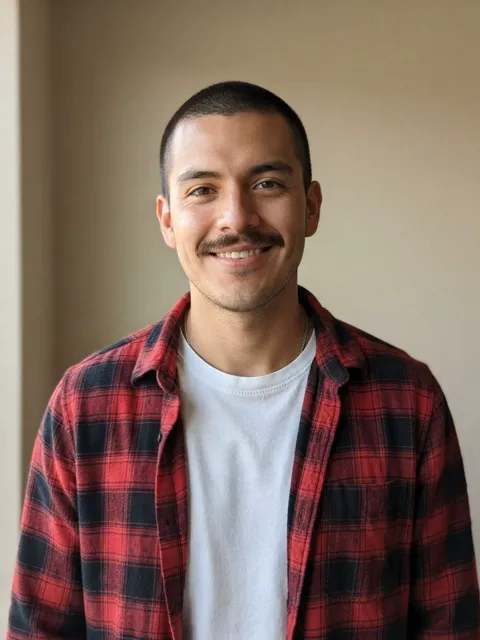
- Clear, waist up
- Screenshots, stickers
- Head only
- Too dark or blurry
- 14 s video
- 9:16, like the original
- Original song available
- No watermark
2Version
By making a video, you confirm you own these photos or have permission from everyone in them, and they don't show celebrities or anyone under 18.
Renders in about 5–10 minutes. We email you the link. Automatic refund if the photo is rejected or the render fails.
What is the middle finger dunk trend?
A basketball AI trend. In October 2026 a real street-game clip of a player taunting the crowd mid-dunk went viral ("bro did an emote mid dunk"). On 20 October @teuteuf6 posted an AI version, "Mon prime 1v1 basket", which passed a million views and started the AI wave: everyone's "prime", dunking over a friend. The 1v1 Dunk template follows that AI clip's shots, leap and replay.
How to make it
- Open the 1v1 Dunk template.
- Add photo 1: the one who dunks.
- Add photo 2, the friend who gets dunked on, or leave it empty and the defender comes with the template.
- Pick a version and generate. Every version renders the whole 14 seconds.
- Download and post. The MP4 comes with the trend's sound; tag your friend.
What happens in the video
- The drive: you dribble at your friend under the floodlights and blow past them to the rim.
- Over the top: you leap clean over their head and slam it home while they look up.
- The taunt: you land, walk up to the camera and flip it off.
- Slow-mo replay: the drive and the leap again in slow motion, then one more taunt.
Photos that work best
- Some body in frame. Waist-up or full-body photos give the leap and the dunk the right build.
- Faces sharp and forward. The taunt is a close-up; no sunglasses.
- One person per photo.
- Keep it between friends. Use your own photo and one of a friend who's in on it; never a stranger, a child or a public figure.
What does it cost?
Balanced is 10 credits at 480p and 25 at 720p. Premium is 25 credits at 480p, 55 at 720p and 95 at 1080p, and your account's first Premium 480p video costs at most 20 credits. Without an account, one video starts at $7.99. No watermark, and failed renders are refunded automatically.