My Ride Is Here Broom Trend: How to Make the Flying Broom Video From One Photo
The My Ride Is Here broom trend step by step: where the name comes from, the forest road and crash versions, which photo to use, what happens second by second and what it costs.
Someone walks next to a moving car with a broom in hand, looks back at the camera, hops on and flies away over the trees. The caption says "My ride is here". It is the Halloween joke of October 2026, and you can make your own from one photo, without CapCut, a prompt or an editing app.
1Upload a photo of you
JPG, PNG, WebP or HEIC · under 20 MB0/1 photos
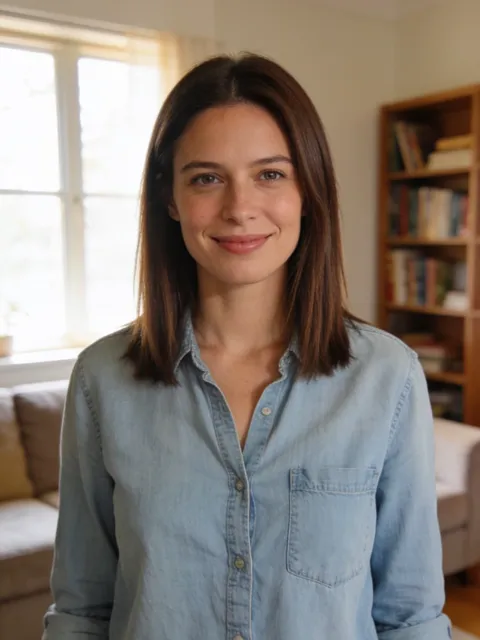
Photos that work best
- Clear, waist up
- Screenshots, stickers
- Head only
- Too dark or blurry
- 10 s video
- 9:16, like the original
- Original song available
- No watermark
2Version
By making a video, you confirm you own these photos or have permission from everyone in them, and they don't show celebrities or anyone under 18.
Renders in about 5–10 minutes. We email you the link. Automatic refund if the photo is rejected or the render fails.
Where does "My Ride Is Here" come from?
From a caption, not a song. The flying broom started in September 2026 as a one-photo CapCut template that put you on a broom in scooter traffic. On 27 September the creator @rora_dd moved the broom next to a car window and wrote "¡Ya llegó mi transporte!" ("My ride is here!"). How-to posts copied the caption, and by 12 October #myrideishere had 17.7 million views on TikTok.
The version this guide follows is the forest reel @aiman_nazarovna posted on 11 October: real phone footage from a car on a dirt road through tall pines, then an AI take-off over the trees.
Two versions on MemeFX AI
- My Ride Is Here (forest road): you walk beside the car, look back with a smile, sit on the broom and fly up over the pines. 1 photo, 10 seconds.
- Witch Broom Crash: you fly down a street toward the camera, flash a peace sign and crash into a road sign. 1 photo, 10 seconds, with a costume of your choice.
How to make it
- Open the My Ride Is Here template.
- Add one photo of yourself, ideally head to toe.
- Pick a version and quality and generate. Balanced starts at 10 credits; Premium is 20 credits at 480p, 40 at 720p and 70 at 1080p.
- Download the 9:16 MP4. It keeps the sound of the reel, so it is ready to post.
What happens, second by second
- 0–3 s: you walk down the dirt road right beside the car, a long twig broom in one hand.
- 3–5 s: you look back over your shoulder, smile at the camera and swing a leg over the broom.
- 5–7 s: the broom lifts off and you glide next to the car window.
- 7–10 s: you climb over the pines and shrink to a dot in the grey sky, the side mirror still in view.
The road, the forest and the car come from the reel. Only the rider changes, which is why it looks like real footage rather than a cartoon.
Which photo works best?
- Full body. Your outfit becomes the rider's outfit, and the rider is seen from behind and the side.
- Face in daylight. The smile back at the camera is the moment people rewatch; a sharp, front-facing photo keeps your face there.
- You alone. With two people in the photo, the model may mix them.
- Costume optional. Everyday clothes make the "this is just my commute" joke; a dark coat or a black dress looks more witchy.
Captions and hashtags
"My ride is here", "Traffic? I'll take the air lane", "Uber? I've got my own ride", or the forest reel's own line, "Thought about a Halloween costume... then I remembered: I'm a witch". Use #myrideishere and #broomridingtrend, add #halloween, and keep the platform's AI label on.